

One merged PDF becomes named invoices.
Drop your merged file (invoices joined together). Check every boundary (where one invoice ends and the next begins), download (or export) a ZIP (one download that holds all the files) of named PDFs. It runs in your browser: nothing is uploaded, and the free version needs no account.
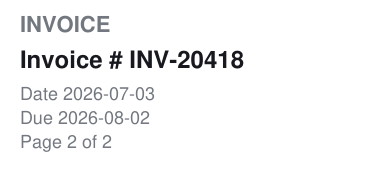 page 2 · same number, stays in invoice-INV-20418.pdf
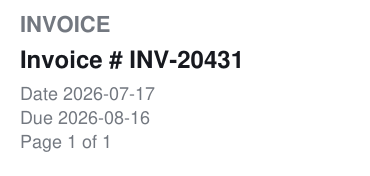 page 3 · new number, starts invoice-INV-20431.pdf
Split your invoice PDF
Example · merged-invoices.pdf · 9 pages4 invoices found · nothing downloaded yet
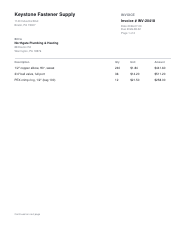 1
1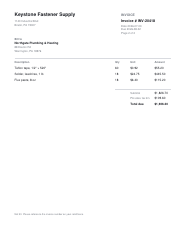 2
2
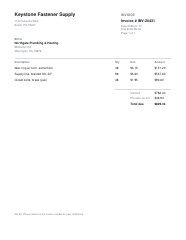 3
3
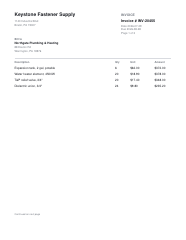 4
4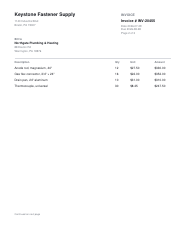 5
5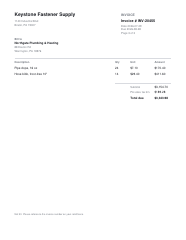 6
6
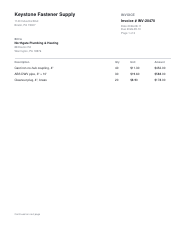 7
7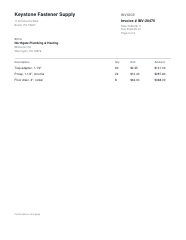 8
8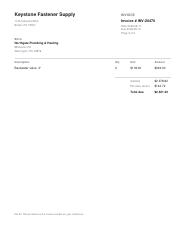 9
9
- 1Pages 1–2INV-20418invoice-INV-20418.pdfIncluded
- 2Pages 3INV-20431invoice-INV-20431.pdfIncluded
- 3Pages 4–6INV-20455invoice-INV-20455.pdfIncluded
- 4Pages 7–9INV-20470invoice-INV-20470.pdfFree limit
Free exports include the first 3 documents. Subscribe to export all 4.
It finds boundaries three ways, and shows its work.
Every page range is on the table before a single file is written. Anything unclear is marked for you to check.
1 By invoice number, the default.
A new number on a page starts a new document; the same number continues it. Two different numbers on one page block the download and name the page.
Every N pages. N is the number you choose. For statements that are always the same length; counted from page one, a shorter final group is kept.
By a phrase you type. A new document starts on every page containing it. Capital and small letters count as the same; it matches the words you type, with no special search rules.
Review every invoice. Export the first three free.
$0
- Load any PDF and see every document it detects
- Every boundary and filename shown before download
- Export the first 3 documents of each ZIP
$5a month
- Every document in every ZIP
- Or Everything — every paid Avyth tool — for $24 a month
- Sign in and it unlocks — or paste your licence key (the code that unlocks your subscription) once per device. Cancel from your account.
Your files, privacy and limits.
Words we use
PDF: Portable Document Format — a file that keeps its page layout. ZIP: One download that holds all the files. OCR: Optical character recognition — reading text from a picture of a page. MB: Megabytes — a measure of file size. Merged file: Several invoices joined into one file. Boundary: Where one invoice ends and the next begins. Preset: A ready-made splitting rule. Scanned PDF: A document made from pictures of pages. Text layer: Text stored alongside a page image so a tool can read it. Selectable text: Words you can highlight and copy. Every N pages: Split after the number of pages you choose. Export: Save the results as files you can download. Licence key: The code that unlocks your subscription.
Can I split scanned PDFs?
Only pages with selectable text can be checked. Every page without it is flagged, and if more than 20% of pages have no text the export is blocked rather than guessed at. There is no OCR in this version; add a text layer elsewhere first. A text layer alone does not guarantee correct boundaries, which is why the review rows exist.
Is my data safe?
The PDF file contents, the text read from the pages, the invoice numbers and the filenames stay in this browser's memory (temporary working space). Nothing is sent to a server and nothing is saved to browser storage (data kept on this device). Close the tab and it is gone. The only thing that ever leaves is an email address, if you type one into the subscription form. Paying does not change where your files go.
How does invoice detection work?
A fixed search rule ignores capital and small letter differences and looks for "Invoice #", "Invoice No" or "Invoice Number" followed by a value. A different value starts a new document; the same value continues it. Two different values on one page block the export and tell you which page. It does not guess at near-matches, and you do not need to write special search rules.
What happens to pages with no boundary?
They attach to the previous document. Pages before the first detected document are flagged and block the export, so nothing is silently lost. In Every N pages, a shorter final group is kept, not dropped. In phrase mode, a heading that repeats on every page will split on every page, which the rows show you before anything is written.
What are the limits?
One merged PDF, up to 50 MB and 500 pages. Encrypted PDFs (files locked to protect their contents) or damaged PDFs may fail. Filenames use letters, digits, hyphens and underscores, capped at 200 characters; repeated filenames get -2, -3 and so on. Splitting copies pages. It does not remove sensitive information or clean hidden content from the files. The free tier exports the first 3 documents of each ZIP; when more are detected each omitted row is marked and the count is stated before you download. The subscription lifts the limit: $5 a month for this tool, or $24 for every paid Avyth tool.
Now split your own.
Choose a merged PDF and review its detected page ranges before anything downloads.